Native IK and posing
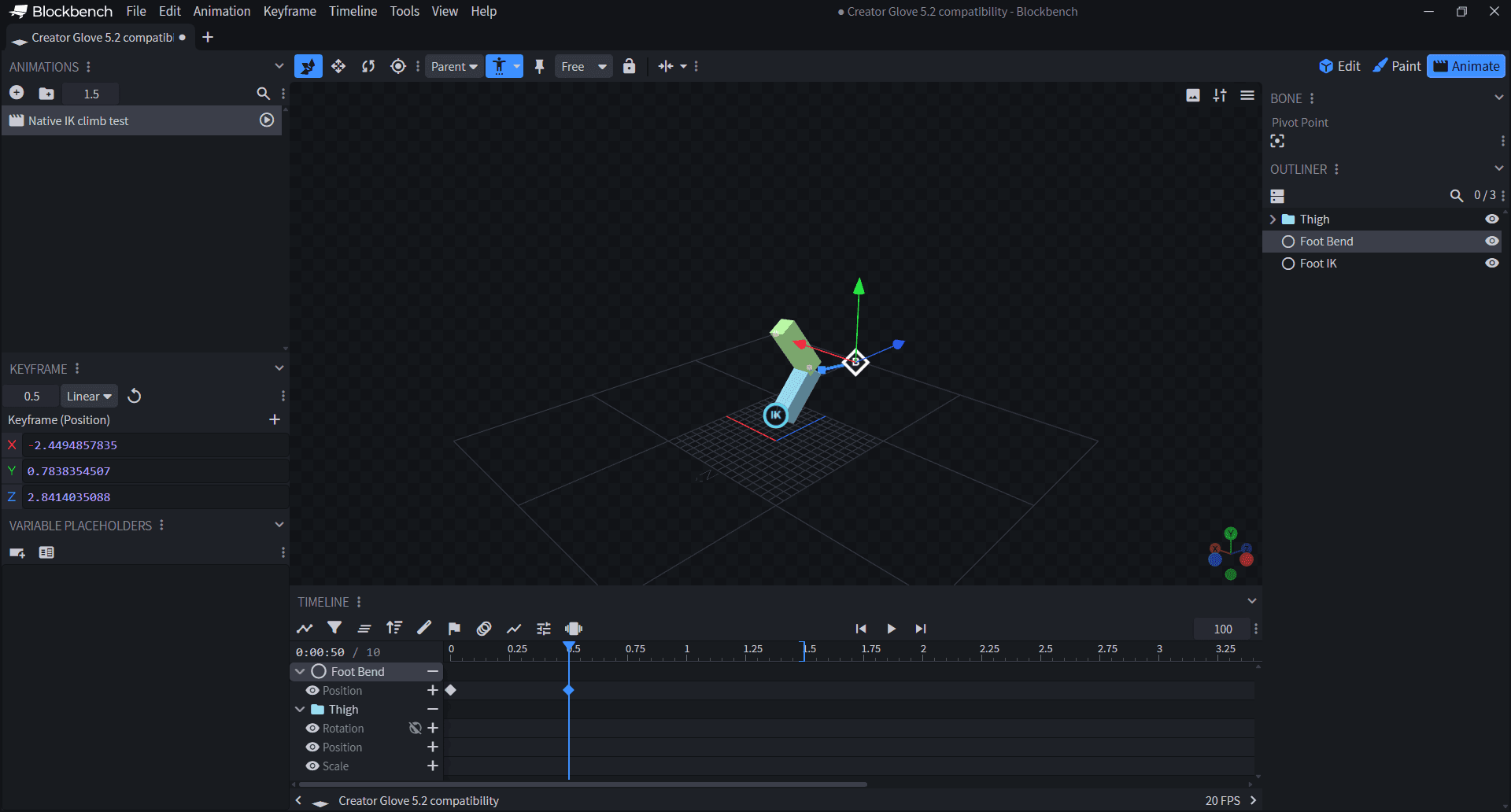
- +In Edit mode, open Tools > Creator Glove > Motion Lab Rigging > Native IK. Choose a root and end bone with at least one bend bone between them. Existing rigs are not converted automatically.
- +The circular IK marker moves the target; the diamond B marker controls bend direction. With Motion Lab Pose Handles enabled, dragging a knee or elbow moves its Bend control. Animate-mode drags create native position keys.
- OKDragging a native-IK knee no longer stops with a controlled-bone warning. Undo restores the previous pose, Escape cancels, and preview drags do not change saved rest positions.
- +Select the IK target and reopen Native IK to choose its Bend target or enable Ground Contact with a world-space Ground Y.
Blockbench 5.2 compatibility
- OKTexture folders are no longer treated as paint canvases. Generated passes retain their folder placement, and reparenting is detected before a pending pass is applied.
- OKThe Handpainted welcome guide no longer covers unrelated dialogs. Manage Creator Glove Tools now shows Motion Lab's actual version.
Before you start
- ~Native IK owns its chain's rotation. Do not apply Motion Lab pins or live physics to the same driven bones. Existing authored keys are retained.
- ~Ground Contact is a lower bound for the sampled target, not terrain collision. It cannot make an unreachable foot touch the ground. Keep Motion Lab enabled when previewing or exporting this constraint, and keyframe stationary IK targets for native animation export.
- ~Includes Handpainted Workflow beta19, Blockout Canvas alpha36 and Motion Lab beta10. Render Studio is not included. Back up your project before updating.