Body regions depend on rig structure and assignments. Plants cannot reach beyond a chain's length; Ground Contact is a flat floor constraint, not terrain collision. Timed-plant baking requires numeric keys. Material results are painted pixels and do not relight automatically. Language support remains partial, and the new controls are English.
Pose directly on your character
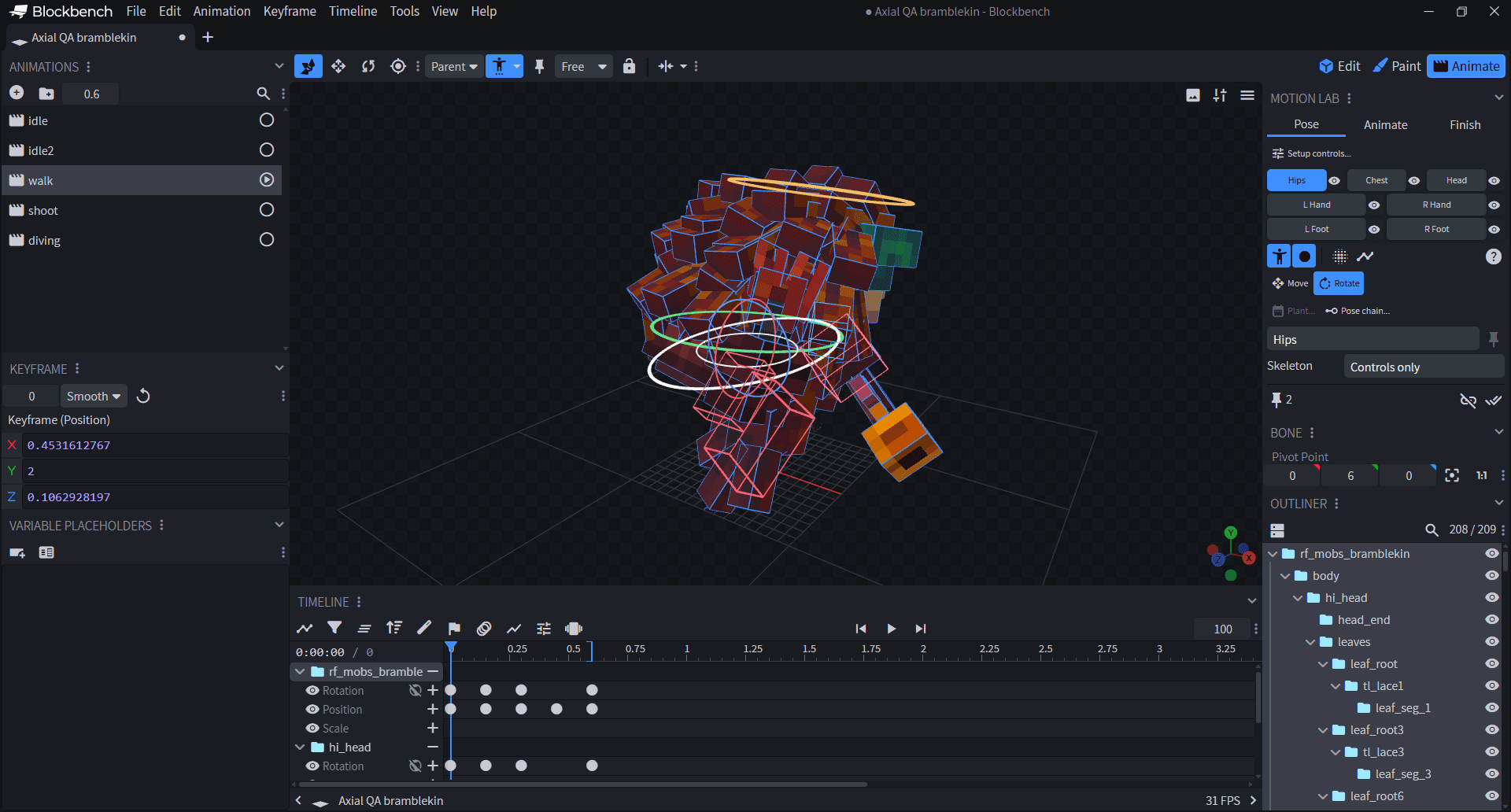
- +Open Motion Lab > Pose > Setup controls to review your bone assignments. Grab a Hips, Chest or Head ring to rotate, or a hand/foot box to move a limb. Separate eye buttons show or hide controls.
- OKRings remain visible while you grab and drag them. Rotation starts on the first gesture, with X/Y/Z rings and separate Move controls. Each completed drag is one Undo step.
- +Hips turns the mapped body and leg branches around the pelvis. Head and Chest share rotation through their surrounding rig region; Area follow adjusts that influence, including supported sibling-bone layouts.
- ~The compact Pose, Animate and Finish tabs keep posing, timing and finishing tools together in native Blockbench controls.
Plants, chains and ground contact
- +Select an endpoint and choose Plant to hold it over a time range with a release interval. Bake IK Pins turns supported plants into editable native keys.
- +Pose chain lets you shape a connected chain directly. Follow body controls how much its tip follows an ancestor during posing. Physics remains a separate tool for automatic secondary motion.
- OKGround Contact now evaluates keyed targets correctly, and preview constraints restore the evaluated animation pose instead of leaving stale offsets.
Your material, your colors
- OKAuto from target uses exact colors from the destination cube's selected texture scope. It no longer invents highlight colors, borrows the captured material palette or samples unrelated atlas areas.
- OKChoose Palette keeps output inside that palette's exact colors, including highlights not yet painted on the model. Flat or overly broad targets ask you to choose a palette.
- ~Surface and brush previews use readable pixel sizes and block lighting in the material's native palette. Shared .rfmaterial files retain optional creator palettes.